A competitor launches a polished new website. The navigation feels confident. The inquiry form is short. The photography makes every project look like the right project.
Someone shares the link with your team: “We need something like this.”
It is a useful starting point. It is also the point where observation can quietly become assumption.
A competitor’s website shows you the choices visitors can see. It rarely shows you whether those choices attract the right customers, support the sales process, or produce a worthwhile business result. Good competitor website analysis keeps those two things separate.
This guide explains how to use competitor research before a website redesign: what to record, what to question, how to find unanswered customer needs, and how to turn an interesting reference into a decision you can test.
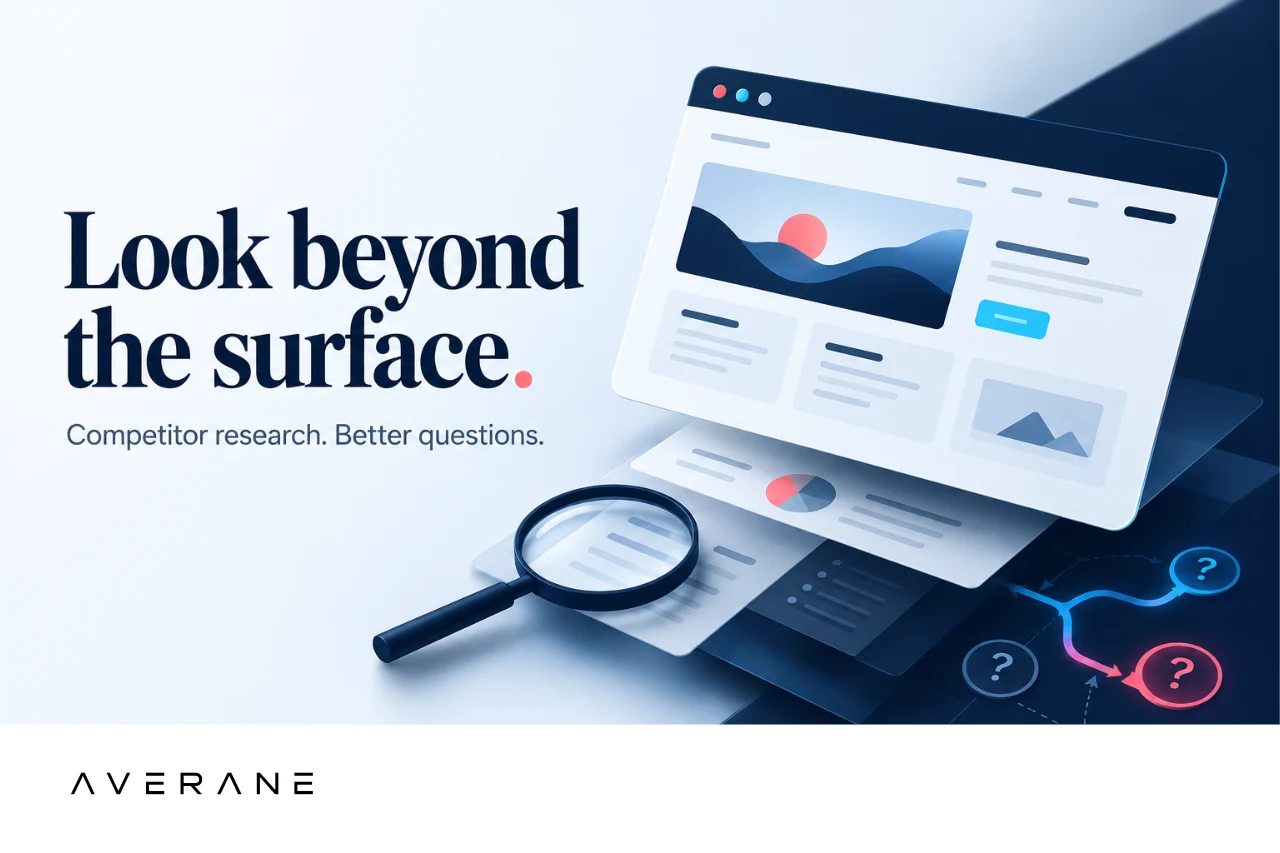
What can a competitor’s website actually tell you?
You can inspect its public content, navigation, forms, product information, accessibility features, and the steps available to a visitor. You can see which services receive attention, what evidence supports an offer, and what the business asks someone to do next.
You can also experience particular interactions yourself. A menu may be difficult to use with a keyboard. A product page may explain delivery clearly. A form may show an error message that helps you recover. Those are observations about the experience you encountered, on a particular device, at a particular time.
What you usually cannot see is the context behind it: traffic quality, acquisition costs, qualified inquiries, sales conversations, customer retention, internal capacity, or the alternatives the team tested. A website might be commercially successful despite a weak interface. Another might be beautifully executed and still fail to answer the questions its customers need answered.
Even a public success story needs context. A reported improvement may relate to a different audience, offer, period, or measurement method. It can be a useful lead for your research without becoming a forecast for your business.
Stanford University’s Web Credibility Project documented how visual presentation can influence perceived credibility. Its guidance dates to 2002, so it should not be treated as a current conversion benchmark. The useful distinction here is between how credible a website appears and the business outcomes a private analytics or sales record would need to establish.
1. Separate the observed choice from the assumed result
Start with a sentence you could defend using the page in front of you.
“Their inquiry form has three required fields” is an observation. “Their form converts better because it has three fields” adds an outcome and an explanation you have not established.
“They show a starting price before the inquiry button” is observable. “Showing prices would scare our customers away” is a prediction. It may deserve investigation, but it should not arrive in the redesign brief disguised as a fact.
Give each observation a page URL, date, device, and relevant screenshot. Note the precise step you reviewed. Avoid descriptions such as “cleaner,” “premium,” or “more intuitive” unless you explain the visible choice behind them.
A more useful note would be: “The service page states who the service is for, describes what is included, and gives a starting investment before asking for a consultation.” Your team now has specific content decisions to discuss.
A confident internal preference still needs a connection to customer evidence. Record it as a question to investigate: which visitors would benefit, what would they understand or accomplish, and what evidence would change the team’s mind?
Keep the unknowns visible
Write “unknown” when the evidence is missing. Unknown does not mean ineffective. It means the public website cannot answer the question.
A short form could increase submissions while making qualification harder. A longer application could help establish fit while excluding people who would otherwise become good customers. Neither result follows automatically from the number of fields.
When your own reporting becomes part of the decision, connect inquiries to what happens next. Our guide to website lead quality explores why form submissions and useful business opportunities are different measurements.
2. Compare the businesses before comparing their interfaces
Two companies can appear in the same search results while needing very different websites. Before borrowing a design decision, compare the circumstances that give it a job to do.
Audience and intent
Is the visitor a first-time buyer learning the category, a returning customer, or a specialist arriving with a detailed brief? An unfamiliar visitor may need definitions and reassurance. An experienced buyer may need specifications and a direct route to the right person.
Offer and commitment
A standard product, an urgent repair, and a custom professional service ask for different kinds of confidence. A “Buy now” interface is not automatically a useful model for a service that needs discovery, qualification, and a tailored agreement.
Buying cycle and decision makers
Some purchases happen in a visit. Others require several people, comparisons over weeks, procurement checks, or a conversation about scope. Ask what someone needs to take back to colleagues, not only what gets them to click.
Traffic and reputation
A recognized business with strong referrals may receive visitors who already trust it. A business introducing itself through search may need more explanation on the same page. You can document a competitor’s visible positioning; its full traffic mix and brand familiarity may remain unknown.
Delivery and follow-through
Can your team honor the response time, service area, availability, or booking promise you admire? A website decision creates an operational expectation. Copying the promise without the process behind it can create an experience your team cannot reliably deliver.
A useful competitive review explains why a reference is relevant to your business. Where the audiences, commitments, or delivery processes differ, record the difference before borrowing the interface.
3. Look for customer questions the whole category leaves unanswered
A competitive review becomes more valuable when you stop asking which website you like best and start asking which customer questions nobody answers well.
Repeated patterns can reveal a convention. They do not prove that the convention serves customers. If every provider says “tailored solutions,” your opportunity may be to explain what is actually tailored, what the customer needs to supply, and how a decision is made.
Compare the sites against a consistent set of practical questions:
- Is this service appropriate for a business like mine?
- What is included, and what would require a separate scope?
- What affects the investment or the timeline?
- Who will I work with, and what will they need from me?
- What evidence helps me judge relevant experience?
- What happens after I inquire, and when should I expect a response?
- What happens after delivery: ownership, support, maintenance, and the next decision?
Then compare those gaps with your own customer conversations. Review recurring sales questions, support requests, search queries, and reasons a prospect was a poor fit. Use those materials with appropriate access and privacy protections; a competitor review does not require copying private customer records into a shared presentation.
An unanswered question becomes a content opportunity when it matters to your customers. Its absence on another website is a clue, not sufficient evidence on its own.
4. Turn inspiration into a decision you can test
“Make our site more like theirs” is hard to evaluate. A decision with a purpose is much easier to discuss, prototype, and revise.
Use this structure:
We believe [specific change] will help [particular visitors] accomplish [meaningful task], because [supporting evidence]. We will evaluate it using [method and measure]. We would reconsider if [contradictory finding].
For example, imagine a service business whose prospects regularly ask whether a small project is eligible. A competitor uses a large project gallery but gives no guidance about fit. The opportunity may be an eligibility explanation beside the inquiry route, rather than a larger gallery of your own.
A testable decision would be: “We believe a short ‘Is this right for you?’ section will help first-time prospects judge whether to inquire, because recent sales conversations repeatedly begin with questions about project size. We will test whether relevant visitors can explain the fit criteria and choose an appropriate next step. We will reconsider the wording if suitable customers mistakenly exclude themselves.”
The example is illustrative, not a reported client result. Its value is the reasoning: visitor need, evidence, change, evaluation, and a condition that could change the team’s mind.
Set the decision criteria before reviewing the findings. Otherwise it becomes easy to defend a preferred design regardless of what customers do.
Microsoft Research’s guidance on trustworthy experimentation emphasizes a clear hypothesis, appropriate success measures, and sufficient experimental power. Those principles support a disciplined test plan; they do not make a small usability session equivalent to an A/B experiment or guarantee a commercial lift.
5. Use the five-column competitor-review worksheet
Give each design or content choice its own row. Keep the wording factual in the first column and make uncertainty explicit in the next two.
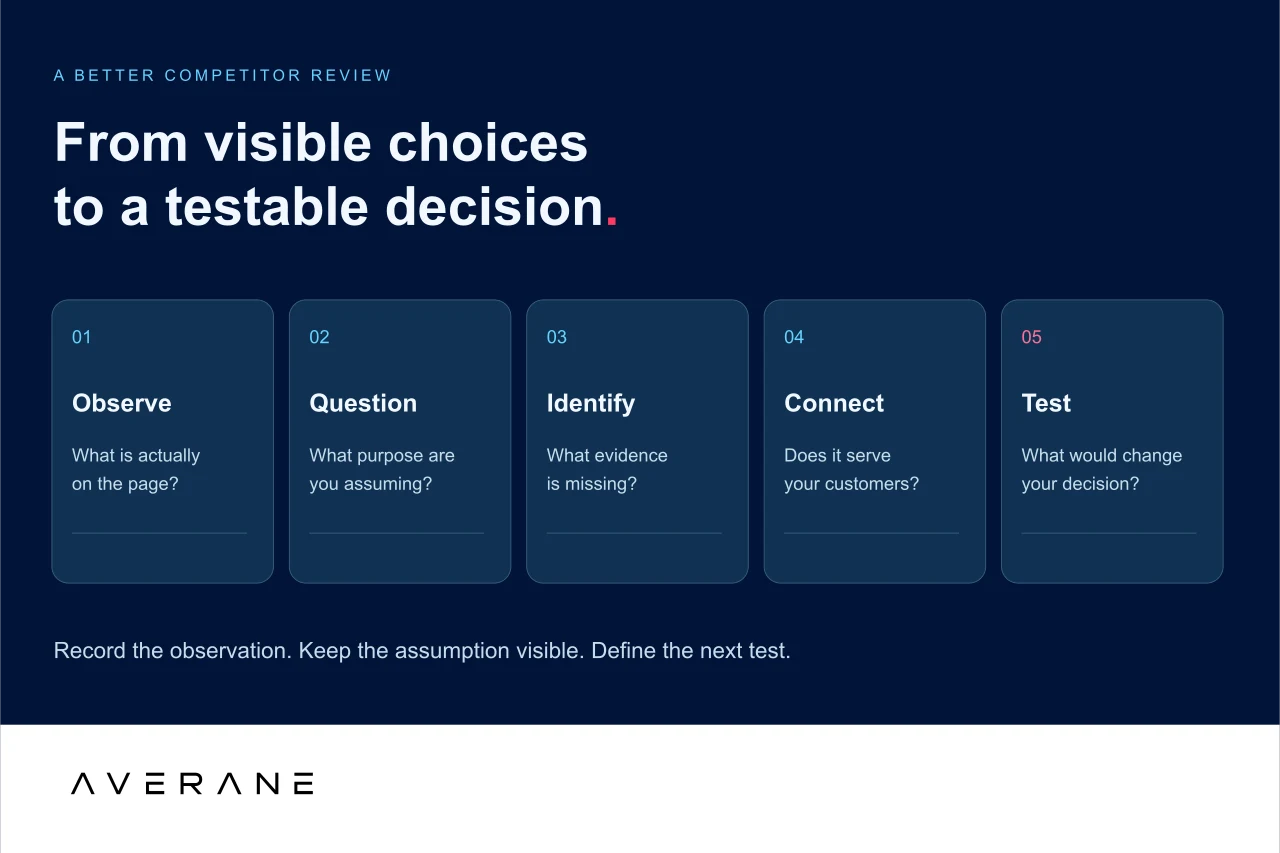
- Observed choice. What is actually on the page or in the interaction? Record the page, date, and device alongside the row.
- Assumed purpose. What might the choice be intended to help someone do? Label this as a hypothesis.
- Missing evidence. What would you need to know before claiming that it works?
- Relevance to your customers. Which visitor need, business constraint, or existing finding makes it worth considering?
- Next test. What is the smallest useful way to investigate it, and what would make you reconsider?
Download the five-column competitor-review worksheet (CSV) to use in your spreadsheet tool. It includes illustrative rows and a blank row for your own review.
Worked example: the short inquiry form
Observed choice: A service-page inquiry form requires a name, email address, and message.
Assumed purpose: Reduce the effort needed to begin a conversation.
Missing evidence: Submission quality, abandonment, response time, spam, and whether useful project information is collected later.
Relevance to your customers: Your prospects may need an easy first contact, while your team needs enough detail to direct inquiries appropriately. Review your own evidence before deciding which need is underserved.
Next test: Ask likely customers to make a realistic inquiry using a prototype. Observe whether they know what to provide and what happens next. If the shorter form removes useful context, test clearer prompts or a different sequence rather than adding every possible field.
The worksheet should end in a short list of decisions to investigate. A long inventory of screenshots is not a redesign strategy.
6. Evaluate understanding and task completion with your own audience
A preference question such as “Which version looks better?” may tell you something about visual response. It does not establish whether someone understands the offer or can complete a meaningful task.
Give actual or likely customers a believable scenario. For example: “You are considering this service for your business. Find out whether it could meet your needs and show what you would do next.” Avoid naming the button or section you want them to use.
Keep the session focused on the visitor’s goal. Watch where they go, what information they use, and whether they complete the task without coaching. Ask open questions about their understanding after they have attempted it, rather than explaining the route first.
Record what happens: whether the person reaches the task outcome, where they hesitate, what they misunderstand, and where they need help. Ask them to explain what they believe they are agreeing to and what they expect after submitting an inquiry. Keep observations separate from your interpretation.
Include the people an attractive screenshot cannot represent
Consider mobile visitors, keyboard use, assistive technologies, and people with different levels of familiarity with your offer. A visually polished interaction can still create barriers.
W3C’s guidance on involving users in accessibility evaluation recommends combining user involvement with standards-based evaluation. A few successful test sessions do not establish accessibility for everyone or replace a conformance review.
Connect the prototype finding to the live business question
Qualitative research can reveal confusion and help explain behavior. A small research round does not prove a conversion lift. After release, use your own appropriately configured analytics and business records to evaluate the relevant outcome over a suitable period.
For an inquiry flow, that might mean valid inquiries, qualified opportunities, and the effort needed to respond. For a product purchase, it might include successful checkouts and support questions. Choose measures that fit the decision, and account for changes in traffic, offer, season, and tracking before attributing a result to design.
If you have enough comparable traffic for an experiment, define its success criteria and analysis plan before running it. If you do not, combine task-based research, operational feedback, and careful monitoring. Precision should come from the evidence available, not from a confident-looking percentage.
7. Build a redesign brief from evidence, not a collection of favorites
Bring the review together in a short decision brief: the customer need, what you know, what remains uncertain, the proposed change, who owns the decision, and the next validation step. Mark whether each idea is ready to adopt, worth testing, or unsupported for your situation.
Some familiar patterns are useful because people recognize them. Other choices may deserve a distinctive expression. You do not need to make every interaction different to create a website that belongs to your business.
For decisions involving extra steps, our article on intentional friction in website design offers a related lens: what purpose does the step serve, and does the benefit justify the effort? Competitor research provides examples to examine; your audience and business determine which ones belong.
Before committing to a larger rebuild, connect this work with a diagnosis of your existing website. The most useful competitive insight may support a focused improvement rather than a wholesale redesign.
Questions about competitor website analysis
Should you copy a competitor’s website design?
Use competitors to understand patterns, expectations, and unanswered questions. Translate useful ideas into an original solution grounded in your audience, offer, and evidence. A competitor’s visible implementation alone does not establish that the same choice will work for you.
Can you tell how well a competitor’s website converts?
Usually not from the public interface alone. Public reports and third-party estimates may offer clues, but they do not automatically reveal the quality of inquiries, the measurement method, or the role of traffic and sales follow-through.
How many competitor websites should you review?
Start with a manageable group that represents relevant alternatives, including direct competitors and other ways customers solve the same problem. There is no universal ideal count. Add another site when it helps answer a particular research question, rather than to make the review look comprehensive.
What makes competitor research useful for a redesign?
It connects an observed choice to a customer need, identifies the evidence you do not have, and produces a practical next test. Useful research improves the quality of a decision; it does not simply create a longer list of references.
A better question for your next website
A competitor’s website can expand your perspective. It can reveal a useful convention, expose a neglected question, or give your team something concrete to challenge.
It cannot decide what your customers need, what your team can deliver, or what success should mean for your business.
Keep the inspiration. Question the assumption. Build from what you can learn.
If you are planning a redesign, start a conversation with Averane. We can help connect the audience, the evidence, and the design decisions that move your business forward.
Sources and further reading
- Stanford University: Guidelines for Web Credibility — foundational research on credibility judgments; published in 2002.
- Microsoft Research: Patterns of Trustworthy Experimentation, Pre-Experiment Stage — hypotheses, metrics, and experimental design.
- W3C Web Accessibility Initiative: Involving Users in Evaluating Web Accessibility — user involvement alongside accessibility standards.